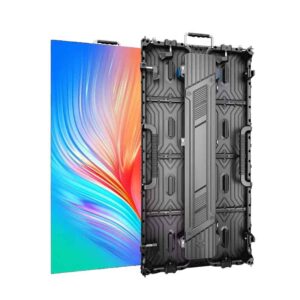
If you’ve been shopping for an LED display, you’ve probably seen these numbers everywhere.
They can look like technical jargon at first, but pixel pitch is actually pretty simple. It tells you how far apart the LED pixels are on the display.
The tricky part is figuring out which pixel pitch makes sense for your project.
And here’s the thing: the smallest pixel pitch isn’t always the best choice.
A P1.25 display can look incredible, but if your audience is standing 30 feet away, you may be paying for detail they won’t really notice. On the other hand, choosing a pitch that’s too large for a close-up application can make the image look rough.
So let’s break it down in practical terms.
What Is LED Display Pixel Pitch?
Pixel pitch is the distance between the centers of two neighboring LED pixels, measured in millimeters.
For example:
- P1.25 = 1.25 mm pixel pitch
- P1.86 = 1.86 mm pixel pitch
- P2.5 = 2.5 mm pixel pitch
- P3.91 = 3.91 mm pixel pitch
- P5 = 5 mm pixel pitch
The smaller the number, the closer the pixels are together.
That usually means a higher pixel density and a sharper-looking image when you’re standing close to the screen.
But there’s a tradeoff: smaller pixel pitch generally costs more.
That’s why pixel pitch should be chosen based on the application, not simply by picking the smallest number available.

Led screen pixel
Start With Viewing Distance
This is probably the most useful thing to think about when choosing pixel pitch.
Ask yourself:
How close will people actually be to the screen?
A conference room LED wall might be viewed from only a few feet away. A large outdoor billboard could be viewed from dozens or even hundreds of feet away.
Those two projects don’t need the same pixel pitch.
A practical way to think about it
| Pixel Pitch | Typical Applications | General Viewing Situation |
|---|---|---|
| P0.9–P1.25 | Control rooms, conference rooms, premium indoor video walls | Very close viewing |
| P1.5–P1.86 | Corporate displays, retail, showrooms, meeting rooms | Close viewing |
| P2–P2.5 | Indoor advertising, commercial displays | Medium viewing distance |
| P3.91 | Events, stages, rental displays, large installations | Medium to longer distance |
| P5+ | Outdoor advertising, large-format displays | Longer viewing distance |
These are starting points, not hard rules.
The actual viewing experience also depends on screen size, content, LED package, brightness, camera use, and viewing angle.
Don’t Automatically Buy the Smallest Pixel Pitch
This is one of the most common mistakes we see when customers first start comparing LED displays.
Someone needs an indoor screen and thinks:
“If P1.25 is better than P2.5, why not just buy P1.25?”
Because “better” isn’t always the same as “better for your project.”
Let’s say you’re installing a large advertising screen in a shopping mall. Most people may never get close enough to the display for the difference between P1.25 and P2.5 to justify the extra cost.
Now consider a conference room where people are sitting just a few feet away from the screen.
That’s a different story.
At close viewing distances, a finer pixel pitch can make a noticeable difference in text, graphics, presentations, and detailed video.
The goal isn’t to buy the smallest pixel pitch. The goal is to buy the right one.
P1.25 vs P1.56 vs P1.86
These are common choices for fine-pitch indoor LED displays.
They’re especially useful when the audience is relatively close to the screen.
P1.25
A good fit for applications where image detail matters and viewers are close.
Common uses include:
- Conference rooms
- Control rooms
- Corporate video walls
- High-end showrooms
- Broadcast environments
P1.56
A nice middle ground for customers who want fine-pitch performance without going all the way down to P1.25.
It’s worth considering for:
- Meeting rooms
- Corporate spaces
- Retail
- Showrooms
- Indoor video walls
P1.86
Another practical option for fine-pitch indoor applications.
It can make sense when the viewing distance is a little greater and you don’t need to pay for the smallest pitch.
For many commercial projects, the difference between P1.56 and P1.86 comes down to viewing distance, content, budget, and the overall size of the wall.
P2.5: A Popular Indoor Choice
P2.5 sits in a very useful spot.
It’s fine enough for many indoor applications while usually costing less than very fine-pitch products.
You might see P2.5 used for:
- Retail stores
- Advertising displays
- Corporate spaces
- Churches
- Exhibition halls
- Stage backgrounds
- Commercial video walls
If your audience isn’t sitting right next to the screen, P2.5 can be a very reasonable choice.
P3.91 and P5: When the Screen Gets Bigger
Once you’re dealing with larger screens, stages, events, or outdoor applications, larger pixel pitches become more practical.
P3.91 is widely used for event and rental applications, especially where the audience is not standing right in front of the screen.
P5 is often a better fit for larger outdoor advertising screens where viewers are farther away.
Again, it comes back to the same question:
Where is the screen going, and how far away will people be?
What About Outdoor LED Displays?
Outdoor screens have another factor that indoor displays don’t have to deal with as much: ambient light.
A screen installed outside may need much higher brightness, weather protection, and a cabinet designed to handle outdoor conditions.
So you can’t choose an outdoor LED display based on pixel pitch alone.
For example, an outdoor advertising project might use P3.91, P5, P6, P8, or larger depending on:
- Screen size
- Viewing distance
- Location
- Traffic speed
- Content
- Required brightness
- Budget
For a roadside billboard, choosing an ultra-fine pitch usually doesn’t make much sense if the audience is hundreds of feet away.
Pixel Pitch Also Affects Screen Resolution
There’s another part buyers sometimes overlook.
Pixel pitch doesn’t just affect viewing distance. It also affects how many pixels you have on a given screen size.
A smaller pixel pitch packs more pixels into the same physical area.
That can be especially important when your screen needs to show:
- Small text
- Detailed graphics
- Product images
- Presentations
- UI screens
- Fine video content
This is one reason fine-pitch LED displays are becoming more common in conference rooms, control rooms, and other close-viewing applications.
Think About the Content, Too
Two screens with the same viewing distance might still have different requirements.
A screen mainly showing large logos and simple advertising graphics doesn’t necessarily need the same pixel pitch as one displaying detailed presentation slides.
If your content contains a lot of:
- Small text
- Data
- Charts
- Close-up product images
- Detailed video
then a finer pitch may be worth considering.
If the content is mostly large graphics, animations, and video viewed from farther away, you may have more flexibility.
Don’t Forget the Camera
Here’s something that’s easy to miss if your project involves events, studios, or broadcast.
If the LED display will be filmed on camera, pixel pitch isn’t the only thing you need to consider.
Refresh rate, scan mode, LED driver technology, brightness control, and camera settings can all affect what the screen looks like on video.
That’s why an LED display that looks great to the eye isn’t automatically the best choice for a camera-heavy production.
For these projects, tell your supplier that the screen will be filmed. It can change the recommended configuration.
So, Which Pixel Pitch Should You Choose?
There’s no single answer.
A good starting point is:
Close viewing → finer pixel pitch
Medium viewing → mid-range pixel pitch
Long viewing distance → larger pixel pitch
But don’t stop there.
Your supplier should also look at the screen size, indoor or outdoor environment, brightness, content, maintenance method, cabinet design, refresh rate, and budget.
That’s how you avoid paying for specifications you don’t actually need.
Need Help Choosing the Right LED Display?
At Maxcolor Visual, we supply indoor, outdoor, rental, fine-pitch, COB, and customized LED displays for distributors, AV integrators, contractors, rental companies, and project buyers.
We can help you compare pixel pitch, cabinet size, brightness, maintenance options, and other specifications based on your actual project instead of simply recommending the most expensive model.
Send us your screen size, viewing distance, application, and installation location. We’ll help you work out which pixel pitch makes sense for the project.