Buying an LED display usually starts with a simple question:
“How much does it cost?”
Then the quotation comes back, and suddenly you’re comparing P1.25, P1.56, P2.5, P3.91, 3840Hz, brightness, cabinet sizes, front service, rear service…
And that’s where things get confusing.
The good news is that you don’t need to understand every LED specification before buying a screen. You mainly need to know where the screen is going, how people will view it, and what you want it to do.
Here’s how we normally look at it.

led display buying guide
Start With Where the Screen Will Be Used
An LED display for a conference room is a very different product from an outdoor advertising screen.
For an indoor project, you may care more about image detail, close viewing distance, cabinet appearance, noise, and maintenance. Fine-pitch LED displays such as P0.9, P1.2, P1.5 or P1.8 are common when people will be sitting relatively close to the screen.
For outdoor applications, the priorities change.
Sunlight, rain, dust, temperature changes and long operating hours all become part of the equation. That’s when brightness, IP protection, cabinet construction and heat management matter much more.
So before asking a supplier for a price, tell them what the screen is actually being used for.
That one piece of information can change the recommendation completely.
Pixel Pitch: Don’t Automatically Go for the Smallest
Pixel pitch is probably the specification you’ll hear about most when buying an LED screen.
P1.25 is finer than P2.5. P2.5 is finer than P3.91.
Simple enough.
But smaller pixel pitch also usually means a higher price.
If your audience will be standing three or four feet away from the screen, a fine-pitch LED display can make a noticeable difference.
If the screen is installed on a large outdoor building and people are viewing it from 100 feet away, paying extra for an ultra-fine pixel pitch doesn’t make much sense.
That’s why we always recommend starting with viewing distance, not pixel pitch.
If you’re not sure, give your LED supplier the screen size and the closest viewing distance. That’s usually enough to narrow down the right range.
How Much Brightness Do You Actually Need?
This is another area where bigger isn’t necessarily better.
An indoor LED display doesn’t need the same brightness as an outdoor billboard sitting in direct sunlight.
For indoor applications, too much brightness can actually make the screen uncomfortable to look at.
Outdoor LED displays are a different story. They need enough brightness to remain visible during the day, especially when the screen is facing direct sunlight.
So instead of asking:
“What’s the highest brightness you can offer?”
Ask:
“What brightness is appropriate for my installation?”
It’s a much better way to compare products.
Think About Maintenance Before the Screen Goes on the Wall
This is something people sometimes think about too late.
Imagine the LED wall is already installed against a finished wall. Six months later, one module needs to be replaced.
Can your technician reach it?
If the answer is no, you’re going to have a problem.
For many indoor fixed installations, front-service LED displays are a practical choice because technicians can access the modules from the front.
Rear service can work perfectly well when there is enough space behind the screen.
Neither option is automatically better. It depends on the installation.
What matters is knowing how the screen will be serviced before you buy it.
COB or SMD?
If you’re looking at fine-pitch indoor LED displays, you’ll probably run into COB.
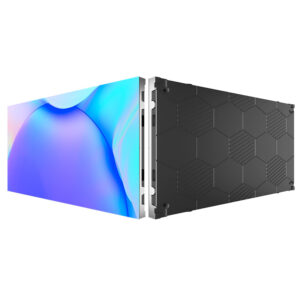
COB LED displays protect the LED chips directly on the board, giving the display surface a more protected construction than traditional SMD modules.
That’s useful in places where the screen may be touched, cleaned, or occasionally bumped.
COB has become particularly interesting for:
- Conference rooms
- Control rooms
- Corporate spaces
- Retail stores
- Studios
- Premium indoor video walls
SMD is still a solid choice for many applications, so this isn’t really about one technology replacing the other.
It’s more about what your project needs and what you’re willing to spend.
The Cabinet Matters More Than You Might Think
Here’s something that’s easy to overlook when comparing quotations.
Two LED displays can have the same pixel pitch and completely different cabinets.
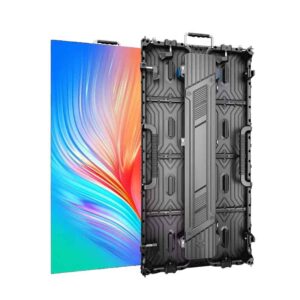
Look at the cabinet weight. Look at how the modules are installed. Check whether you need tools for maintenance. See how the cabinets connect and how much space technicians need to work.
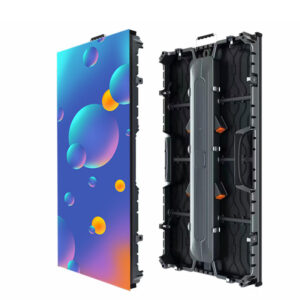
For a rental LED display, lightweight cabinets and fast setup can save a lot of labor.
For a permanent installation, service access and cabinet construction may be more important.
And if you’re moving the screen regularly, don’t underestimate the value of a cabinet that’s simply easier to carry.
Your installation team will notice the difference.
Don’t Compare LED Display Prices Line by Line
Let’s say Supplier A quotes $X per square meter and Supplier B is 15% cheaper.
That doesn’t necessarily mean Supplier B has the better deal.
Check what’s included.
Does the price include:
- LED cabinets?
- Receiving cards?
- Sending system?
- Power supplies?
- Spare modules?
- Control software?
- Flight cases for rental displays?
- Mounting structure?
- Shipping?
LED display cost depends on much more than the LED module itself.
That’s why when you’re comparing suppliers, it’s better to compare the same configuration rather than simply looking at the lowest number on the quotation.
What Should You Tell an LED Display Manufacturer?
You don’t need to prepare a complicated technical document.
For a first quotation, send these details:
Screen size:
For example, 6m × 3m
Application:
Conference room, retail, advertising, event, stadium, etc.
Indoor or outdoor:
This affects the whole configuration.
Viewing distance:
Especially the closest viewing distance.
Content:
Presentations, advertising, live video, text, camera feed, etc.
Installation:
Wall-mounted, hanging, freestanding, rental structure, curved, etc.
Quantity:
One screen or multiple projects.
That’s usually enough for a manufacturer to recommend a starting configuration.
So, Which LED Screen Should You Buy?
There isn’t one LED display that’s right for everyone.
A P1.25 COB LED display may be a great fit for a conference room where people sit close to the screen.
A P2.5 indoor LED display may make more sense for a retail store.
A P3.91 rental LED display could be a better option for events where the screen needs to be transported and installed frequently.
And for an outdoor advertising project, brightness, weather protection and cabinet design may matter much more than having the smallest pixel pitch.
The best LED screen is simply the one that fits your application, viewing distance and budget.
Looking for the Right LED Display?
At Maxcolor, we work with LED distributors, AV integrators, contractors, rental companies and project buyers on indoor and outdoor LED display projects.
We can supply complete LED displays or individual LED modules, depending on what you’re building.
If you’re still comparing options, send us your:
Screen size + viewing distance + application + indoor/outdoor + quantity.
We’ll help you work out a practical configuration and quotation.